
VWAP was built for stock markets, where every trading day has a clear open and close. The indicator resets at the open, accumulates through the day, and gives institutions a benchmark for whether they bought or sold at a fair average price. Bitcoin has no opening bell. So before you use VWAP on a crypto chart, you have to answer a question most tutorials skip: when does your VWAP start counting, and who decided that?
This guide works through that question, shows the calculation with numbers, compares the anchor choices, and then lays out a VWAP pullback plan in a form you can actually test.
The calculation
For each bar since the starting point (the “anchor”):
- Compute the typical price: (High + Low + Close) ÷ 3.
- Multiply it by that bar’s volume.
- Keep running totals of (typical price × volume) and of volume.
- VWAP = cumulative (typical price × volume) ÷ cumulative volume.
This is how TradingView defines its built-in indicator in the VWAP help page, where the default source is hlc3 (the typical price above). When the anchor period ends, both running totals reset to zero.
Four bars, worked through
Illustrative 1-hour BTC bars starting at the session reset. Volume is in BTC.
| Bar | High | Low | Close | Volume | Typical price | VWAP after bar |
|---|---|---|---|---|---|---|
| 1 | 62,400 | 61,800 | 62,100 | 120 | 62,100.00 | 62,100.00 |
| 2 | 62,300 | 61,900 | 62,200 | 80 | 62,133.33 | 62,113.33 |
| 3 | 62,900 | 62,150 | 62,800 | 260 | 62,616.67 | 62,397.83 |
| 4 | 62,850 | 62,400 | 62,500 | 140 | 62,583.33 | 62,441.11 |
After bar 4, the running totals are 37,464,667 (price × volume) and 600 BTC, giving 62,441.11. A simple average of the four typical prices would be 62,358.33. VWAP sits higher because bar 3, the strongest bar, also carried the most volume (260 of the 600 BTC). That is the whole point of the indicator: heavy-volume prices pull the line toward them.
Notice also how little bar 4 moved VWAP. By the fourth bar, 460 BTC is already in the totals. Late in a session, VWAP becomes very hard to move, which is why it flattens out as the day goes on.
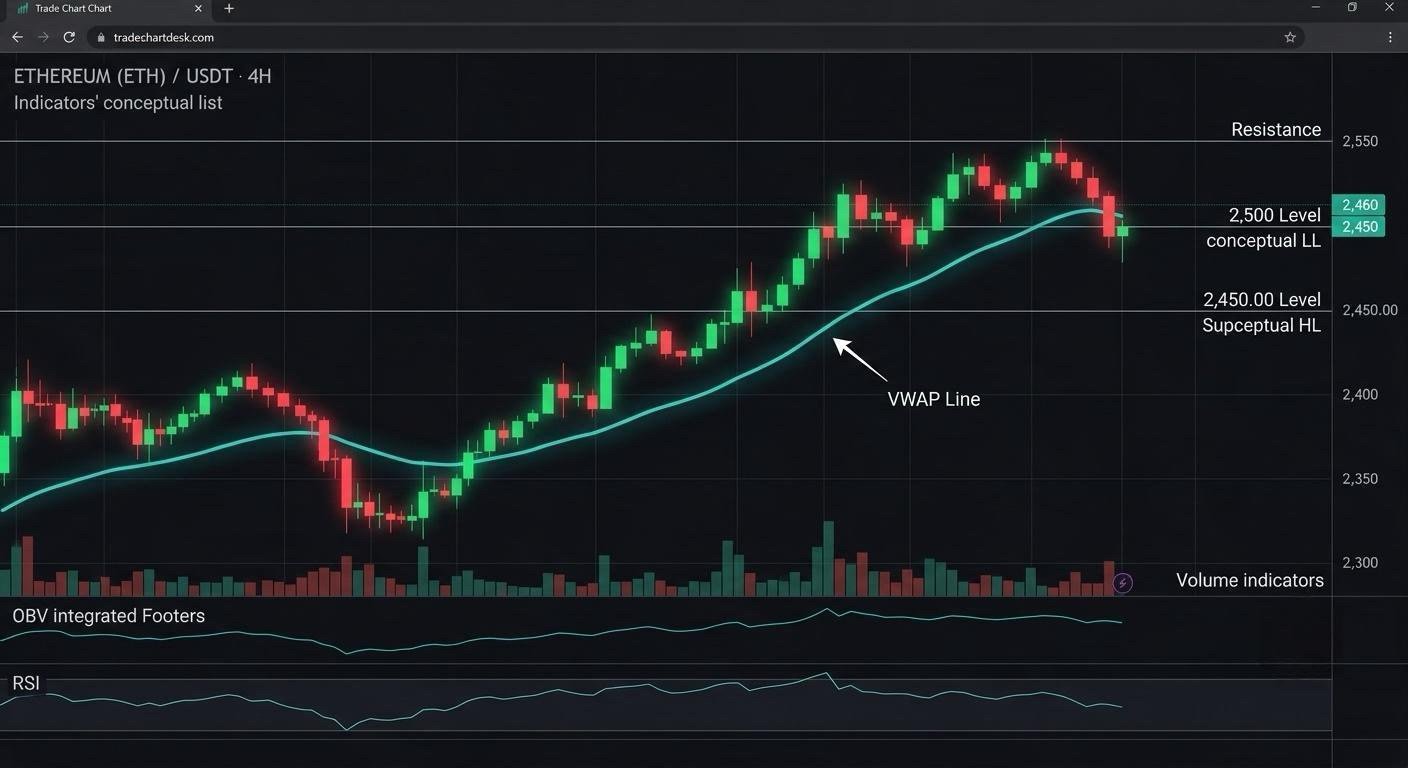
The 24/7 problem: who chose your session start?
With a Session anchor, VWAP resets at the start of each trading day. For a stock, that is the opening bell. For crypto, the “day” is a convention set by the exchange or the charting platform. On most crypto exchange charts the daily candle, and therefore the session VWAP, starts at 00:00 UTC. That is 8:00 p.m. in New York during daylight saving time and 7:00 p.m. in winter, so for a US trader the “daily” VWAP resets in the middle of the evening.
Three consequences follow:
- Different venues can show different VWAPs. A pair whose data feed uses another timezone will reset at another hour, and volume differs by exchange too.
- Early-session VWAP is fragile. In the first hour or two after 00:00 UTC, VWAP is built from very few bars and can swing sharply. As bar 1 above shows, after one bar VWAP is just that bar’s typical price.
- Regulated futures now trade around the clock too. CME Group moved its cryptocurrency futures and options to 24/7 trading in 2026, with a brief daily maintenance pause at 4:00 p.m. CT and a two-hour Saturday window, and it assigns weekend trades to the next business day’s trade date (see CME’s 24/7 trading page). A session VWAP on a CME bitcoin futures chart may therefore reset at a different time from a spot chart that resets at 00:00 UTC. Check the symbol’s session settings before comparing them.
Choosing an anchor: the comparison that drives everything
| Anchor | Resets | Useful for | Weakness |
|---|---|---|---|
| Session (daily) | Each day at the platform’s session start (often 00:00 UTC) | Intraday charts from 1 to 15 minutes; “is today’s average buyer in profit?” | Arbitrary reset time in a 24/7 market; noisy early in the session |
| Week | Start of each week | 1-hour and 4-hour charts; swing context | Moves slowly; late in the week it barely reacts |
| Month or longer | Start of each period | Positioning context on higher timeframes | Calendar dates rarely match meaningful market events |
| Anchored VWAP (manual) | Never; starts at a bar you choose | Measuring the average cost since a specific event: a breakout, a major low, a news spike | Subjective: two traders anchor to different bars and get different lines |
TradingView’s built-in VWAP indicator lets you pick the anchor period, and its Anchored VWAP drawing tool lets you click any bar as the start. The help page also notes that VWAP only makes sense when the anchor period is longer than the chart timeframe: a session VWAP on a daily chart resets on every bar and just traces the typical price.
Anchored VWAP from the same data
Suppose bar 3 above was a breakout bar and you anchor VWAP there instead. After bar 3, anchored VWAP is 62,616.67 (one bar). After bar 4 it is (16,280,333 + 8,761,667) ÷ 400 = 62,605.00. Bar 4’s close of 62,500 is above the session VWAP (62,441) but below the breakout-anchored VWAP (62,605). The two lines answer different questions: “is price above today’s average?” versus “are the people who bought the breakout in profit on average?” Neither is the right one in general; you pick the question first.
A VWAP pullback plan you can test
This is a template for illustration, not a recommendation. Every number is a parameter you would test.
- Context: 5-minute chart, session VWAP. Only consider longs after the first 12 bars (one hour) of the session, so VWAP has some data behind it.
- Trend filter: at least 80% of the last 24 closes are above VWAP, and VWAP is higher than it was 24 bars ago.
- Trigger: a bar’s low touches or crosses VWAP, and the bar closes back above it.
- Stop: below the lower of the trigger bar’s low or VWAP minus 0.5 × ATR(14).
- Size: fixed account risk ÷ stop distance, as in our position sizing guide.
- Exit: a fixed multiple of risk, or a close below VWAP, whichever comes first. Decide which before testing.
- No new trades in the last hour before the session reset, because the new session’s VWAP starts from scratch.
Illustrative numbers: trigger close 62,520, VWAP 62,450, trigger bar low 62,430, ATR(14) 90. Stop candidates: 62,430 and 62,450 − 45 = 62,405. Take the lower, 62,405, so risk per BTC is 115. With a $10,000 account risking 0.5% ($50), size = 50 ÷ 115 ≈ 0.435 BTC, about $27,200 notional. That notional is 2.7 times the account, which on a spot account is not possible without leverage. Seeing that number before you trade is part of the exercise: tight intraday stops quietly push you toward leverage.
Where VWAP strategies break
- Range days. When price chops around a flat VWAP, the trend filter should keep you out, but crosses still happen constantly. Our comparison of trend-following and mean-reversion regimes explains why one rule rarely fits both.
- Strong trend days. In a sharp move, price can stay far from VWAP all session and never pull back to it. The plan simply produces no trade, which is fine, but traders often abandon the rule and chase.
- Venue mismatch. Your VWAP uses one exchange’s volume. If you trade on a different venue, or your futures stop triggers on mark price, the level you see may not be the level that matters for your fills.
- Reset artifacts. A signal at 00:15 UTC is based on three 5-minute bars. Treat it as a different kind of signal from one at 14:00 UTC.
- Bands mistaken for limits. Standard deviation bands show how far price has spread from VWAP this session. They do not cap how far it can go.
How to check it yourself
- Rebuild the line. Export a day of 1-hour candles that start at your platform’s session reset and recompute VWAP in a spreadsheet with two running-sum columns. If your numbers do not match the chart, the session start or the source setting is different from what you assumed.
- Toggle the anchor. Put Session, Week and an anchored VWAP from a recent swing low on the same chart and note which one price actually reacted to over the last 20 sessions. Count, do not eyeball.
- Log by session hour. In your journal, record the UTC hour of each VWAP trade. After 30 or more trades, compare outcomes for early-session versus later signals.
VWAP also pairs naturally with a volume profile, which shows where volume traded rather than its average. See our volume profile guide for that side of the picture.
Financial disclaimer: This article is for educational purposes only and is not financial, investment, or trading advice. Trading involves substantial risk of loss. Example figures are illustrative.