
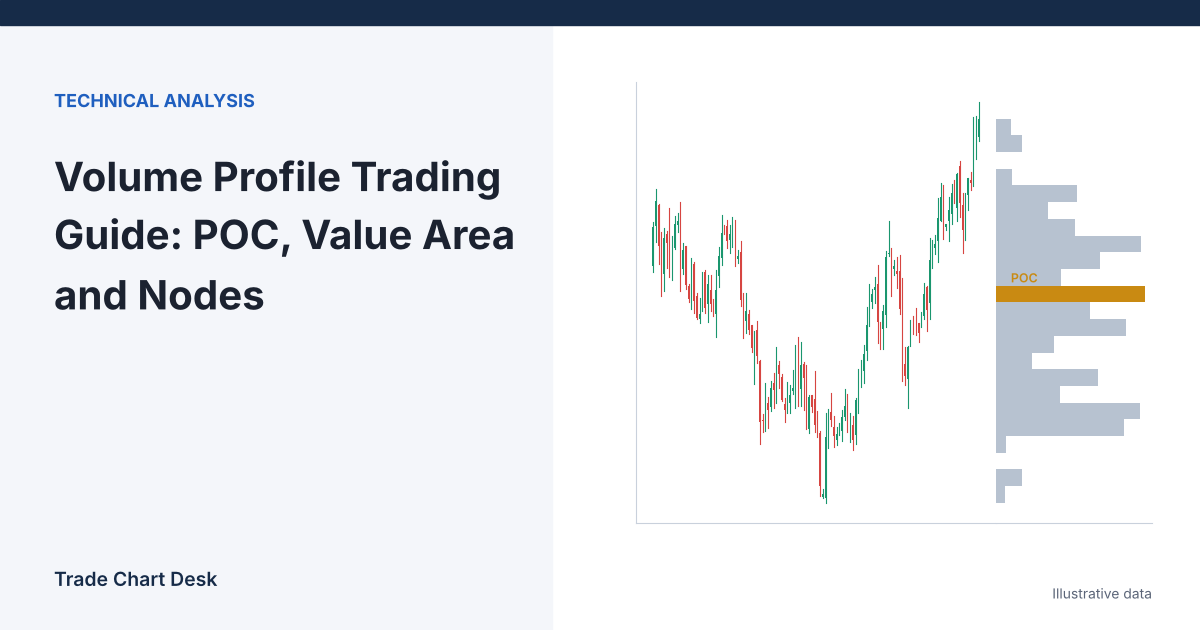
A normal volume bar tells you how much traded during a period. A volume profile turns that sideways and tells you how much traded at each price. That shift changes the questions you can ask of a chart. Instead of “was volume high this hour?”, you ask “at which prices did the market spend most of its business, and which prices did it rush through?”
This guide builds a small profile by hand so the terms stop being abstract, then walks through how to read one, what the settings change, and where the readings go wrong.
Build a profile in nine rows
Imagine a week of BTC trading split into price rows $200 apart. Each row shows the total volume (in BTC, illustrative numbers) that traded inside it, no matter when.
| Price row | Volume | Notes |
|---|---|---|
| 62,600 | 90 | Profile high area |
| 62,400 | 120 | Secondary peak (high volume node) |
| 62,200 | 60 | Valley (low volume node) |
| 62,000 | 180 | Value area high |
| 61,800 | 310 | Point of control |
| 61,600 | 260 | |
| 61,400 | 150 | Value area low |
| 61,200 | 90 | |
| 61,000 | 40 | Profile low area |
Total volume: 1,300 BTC. Now the definitions, applied to these numbers.
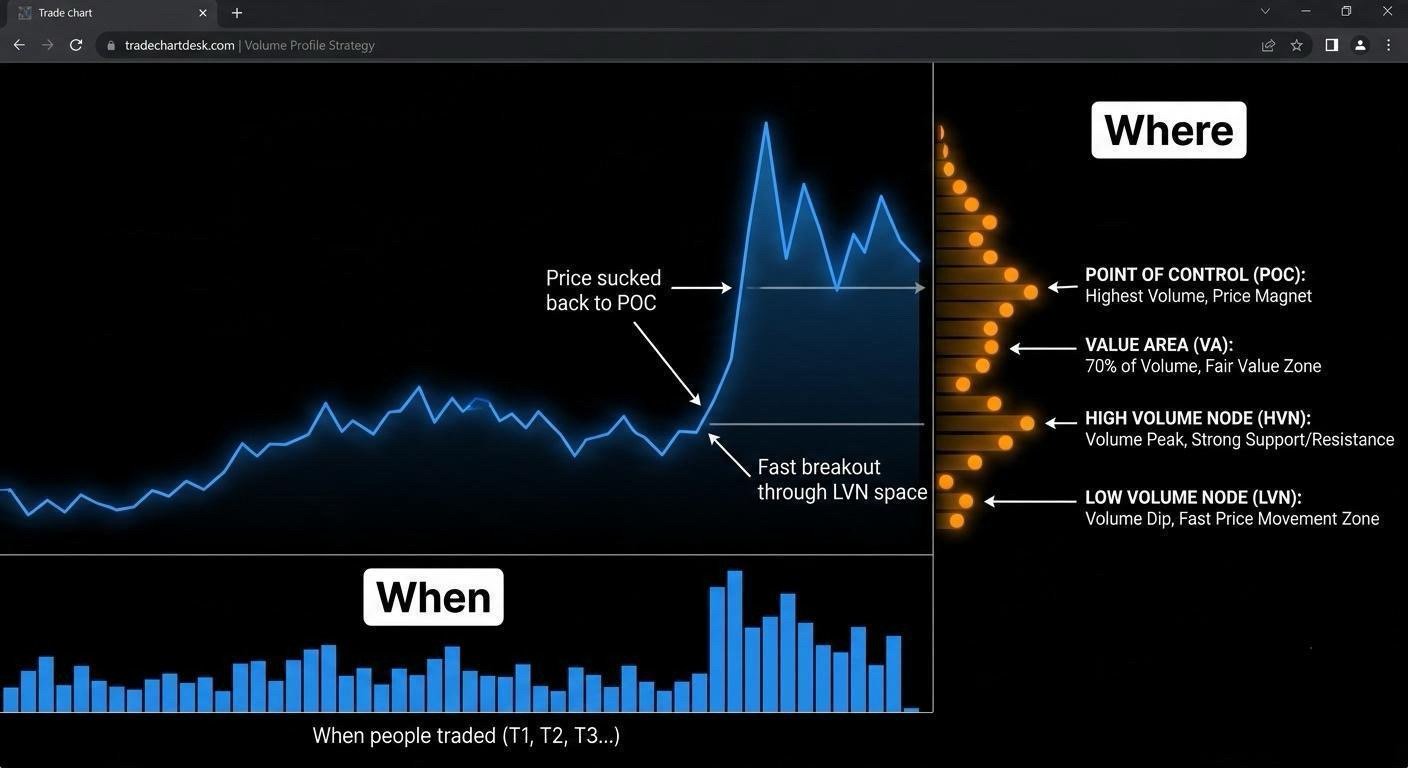
Point of control (POC)
The price row with the most volume: 61,800, with 310 BTC. It is the price where the most business was done in this window.
Value area (VA), step by step
The value area is the price range containing a set share of total volume, conventionally 70%. The figure comes from J. Peter Steidlmayer’s Market Profile work at the Chicago Board of Trade, where 70% was treated as roughly one standard deviation around the center of a normal distribution. It is a convention, not a law, and most platforms let you change it.
TradingView’s volume profile help page describes the algorithm its indicators use. Applied to our table:
- Target = 70% × 1,300 = 910 BTC.
- Start with the POC: 310 included, 600 still needed.
- Compare the next row above (62,000: 180) with the next row below (61,600: 260). Add the larger one, 61,600. Included: 570.
- Compare 62,000 (180) with 61,400 (150). Add 62,000. Included: 750.
- Compare 62,200 (60) with 61,400 (150). Add 61,400. Included: 900. Only 10 BTC of the target remain.
- Compare 62,200 (60) with 61,200 (90). The larger row, 90, does not fit in the remaining 10, so the algorithm stops.
Result: value area low (VAL) 61,400, value area high (VAH) 62,000, holding 900 of 1,300 BTC, or 69.2%. Not exactly 70%, because rows are added whole. Other tools may handle that last row differently, for example by including it and overshooting 70% slightly, which is one reason the VAH and VAL on two charting platforms can differ by a row.
High and low volume nodes
A high volume node (HVN) is a peak in the profile; a low volume node (LVN) is a valley. In our table, 62,400 is a secondary peak and 62,200 between it and the value area is a valley. The usual interpretation: around an HVN the market traded a lot and found two-sided agreement, so price often slows there; through an LVN the market moved quickly, so price often passes through it fast again. “Often” is the honest word. These are tendencies to test, not rules.
Reading the profile like this
Given the profile above and a current price, here is one orderly way to read it. It produces questions and levels, not trade signals.
- Where is price relative to value? Inside the 61,400–62,000 value area, the market is trading where it has already done most business. Above or below it, price is testing whether a new area will be accepted.
- What lies between price and the POC? If price is at 62,300, the next level down is the thin 62,200 row, then the value area. A move back into value would have little traded volume in its path.
- Where are the nearest HVNs? 62,400 above and the POC below. These are candidate areas where price may slow down.
- Is the profile one hump or two? Our profile has a main body and a smaller cluster at 62,400–62,600. A two-humped profile often means the market spent time at two different prices; treating the single POC as “fair value” hides that.
- What does acceptance look like? Decide in advance. For example: two consecutive 4-hour closes above VAH, rather than a single wick.
A common scenario some traders test: price opens a new week below the prior week’s VAL, then closes back inside the value area. The idea is that rejection outside value can lead to a rotation toward the POC. Written as a testable rule, that becomes: “after two consecutive 1-hour closes back above prior-week VAL, measure whether price touches the prior-week POC before closing below the re-entry bar’s low.” Our breakout and retest guide covers the opposite case, where a break outside the range holds.
Settings that change the answer
| Setting | What it does | Effect on POC and value area |
|---|---|---|
| Range (session, fixed, visible, periodic) | Which bars feed the profile | The biggest effect. A visible-range profile changes every time you scroll or zoom. |
| Row size or number of rows | How wide each price row is | Wider rows merge nodes and can move the POC; narrower rows create jagged, noisy peaks. |
| Value area % | Target share of volume | 70% is the common default. Raising it widens VAH–VAL. |
| Data resolution | How finely bars are split before volume is assigned to rows | On coarse data, a bar’s whole volume is spread across its range, which blurs exact prices. |
| Up/down volume | Splits each row by bar direction | TradingView classifies volume as “up” if the bar closed at or above its open, not by who initiated the trade. |
The session question matters for crypto just as it does for VWAP. A “session” profile on a crypto pair usually uses a day that starts at 00:00 UTC, which is a charting convention, not a real open. TradingView’s session volume profile article shows how sessions and custom time windows are set. For a 24/7 market, a weekly or fixed-range profile anchored to a meaningful event is often easier to interpret than a daily one.
Where volume profile readings go wrong
- One venue’s volume. Most crypto profiles use a single exchange’s data. A POC on one spot exchange is not the market’s POC. Compare at least two venues before treating a level as important.
- Visible range drift. If you use a visible-range profile, the POC you marked yesterday may be gone today simply because you scrolled. Fixed-range or periodic profiles avoid that.
- Old profiles. A value area from three months ago describes where the market agreed three months ago. Whether anyone still cares is a separate question.
- Treating nodes as walls. Price can slice straight through an HVN on news. Our guide to liquidation heatmaps shows how forced orders can overwhelm a level.
- Buy/sell confusion. Up/down volume colors on a profile are based on bar direction. They are not order-flow delta from executed aggressive orders.
How to verify a profile yourself
- Export a week of 15-minute candles for one pair.
- For a rough check, assign each bar’s volume to the row containing its typical price, (High + Low + Close) ÷ 3. Sum by row.
- Find the POC and run the value-area steps above in a spreadsheet.
- Compare your result with a fixed-range profile drawn over the same week. Expect small differences, since platforms spread each bar’s volume across its range, but the POC should land in the same region. If it does not, check the date range, venue and row size.
- For a level-testing log, record each time price returns to a marked POC, VAH or VAL and what happened within the next N bars, using our trading journal template. Include the times nothing happened.
Volume profile shows where volume sat; VWAP shows its average price over time. Using both on the same window is a good cross-check, which our VWAP guide for crypto explains.
Financial disclaimer: This article is for educational purposes only and is not financial, investment, or trading advice. Trading involves substantial risk of loss. Example figures are illustrative.
1 thought on “Volume Profile Trading Guide: POC, Value Area and Nodes”